 Readlet · read-aloud for Mac
Let your Mac do the reading.
Select text on your screen or open a document. A natural voice reads it aloud, locally on your Mac, after a one-time setup.
- $19 USD once · first 10 beta buyers
- Apple Silicon
- macOS 26+
- English voice
Hear Heart, the voice in Readlet.
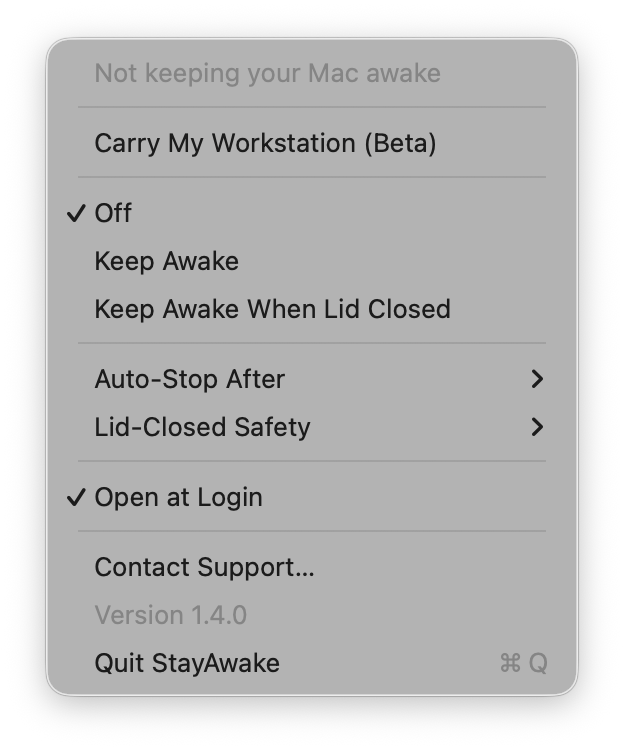
Stay Awake · for MacBooks
Close the lid. Keep it working.
Keep an upload, build or download running with the lid shut, no external monitor needed. A timer switches keep-awake off for you.
- 7-day free trial · $4.99 USD once
- Apple silicon + Intel
- macOS 13+
FiscalFox · web app · invite-only early access
Keep track of your spending.
Bring transactions from your Indian bank’s email alerts into one place. FiscalFox is a separate web app with its own privacy policy.
Connects to Gmail with read-only access. Review its data-use details before connecting your inbox.
The mobile collection
- Katha Quiz
- Trivia Square
- MESAO
- Lockling
- FiscalFox
Product details and store links are being added.
One studio.
Useful things.
Slogoi is the shared home for apps built by Pratik Nayak. Some help you get through the day on a Mac. Others live on your phone or in a browser.
Every app has its own color, its own requirements and a clear next step. Start with what you need.
Guides for common Mac jobs
- How to have a PDF read aloud on a MacBuilt-in Spoken Content, then Readlet
- Natural text to speech on a MacSpeak Selection vs a neural voice
- A Speechify alternative for MacSubscription vs free vs pay once
- Keep your Mac awake for Claude Code and CodexLid open or closed, with a timer
- Keep a Mac awake with the lid closedClamshell mode, caffeinate and more
- Mac keep-awake apps comparedcaffeinate, KeepingYouAwake, Amphetamine
A few useful details.
Which apps can I try today?
Stay Awake has a 7-day free trial, followed by a $4.99 USD one-time license. Readlet’s introductory $19 USD paid beta is open for the first 10 buyers. FiscalFox has invite-only early access; visit its site for details.
Does every app work on every device?
No. Readlet currently requires Apple Silicon and macOS 26 or newer. Stay Awake supports Apple silicon and Intel Macs on macOS 13 or newer. FiscalFox runs in a web browser. Check each app’s product page before downloading or signing up.
Where do I get support?
Use the support link on the app’s product page or reply to your purchase receipt. Each app has its own setup and privacy information.