Stay Awake for Mac
Close the lid. Your Mac keeps working.
That upload at 80%. The build still running. Keep your Mac awake with the lid closed, and set a timer to switch it off for you.
Then $4.99 USD once.
No subscription.
Apple silicon + Intel · macOS 13+
Developer-signed and notarized by Apple.
Finish what you started.
Lid closed.
Work continues.
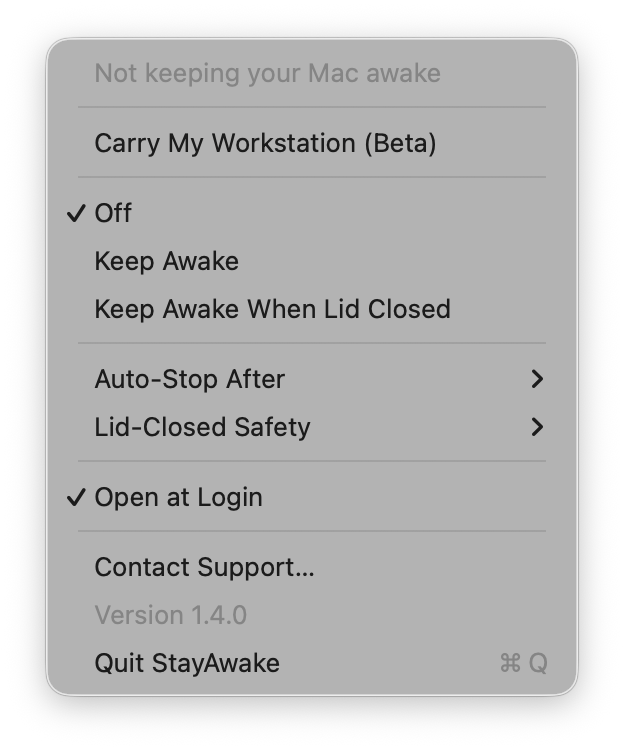
Keep an upload, build, or download running without an external display. For everyday use with the lid open, choose the regular Keep Awake mode.
Pick a time.
Let it stop.
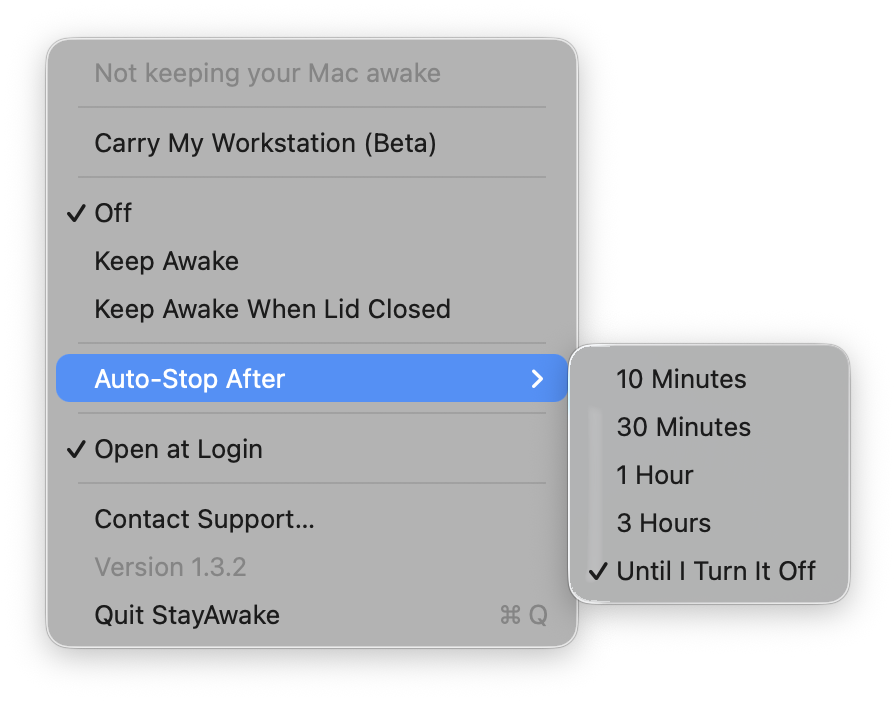
Choose 10 minutes, 30 minutes, an hour, or three hours. The cup in your menu bar drains as time runs out.
Heat and battery
cutoffs.
Closed-lid mode stops when macOS reports serious thermal pressure or the battery falls below your chosen level. The default battery cutoff is 10%.
Use on a ventilated surface, not inside an enclosed bag. Cutoffs are a backstop, not a guarantee against overheating.
Set it.
Get on with your day.
The timer turns keep-awake off automatically. If the app quits or crashes, its helper is designed to restore normal sleep.
You choose when it runs. Open the cup menu to stop it at any time.
Try it on your next upload.
$4.99USD, once
7-day free trial. No subscription.
Download the app and try it before buying. Ready to keep it? Buy a license on Gumroad, then choose Enter License Key in the app menu.
The trial downloads from GitHub. Checkout and license delivery are handled by Gumroad.
Up and running.
- Open the download and drag StayAwake into Applications.
- Eject the disk image and open StayAwake from Applications.
- Click the cup icon in your menu bar and choose a mode and timer.
Closed-lid mode needs a one-time administrator approval to install its helper. Regular Keep Awake does not need that helper.
Before you close the lid.
Which Macs does it work on?
Stay Awake supports Apple silicon and Intel Macs running macOS 13 or newer. Closed-lid mode is intended for MacBooks, and does not require an external monitor.
Why does it ask for administrator approval?
Closed-lid mode changes a protected macOS sleep setting through a small background helper. You approve that helper once. Regular Keep Awake uses a normal macOS power assertion and does not need administrator approval.
Will it keep Claude Code or Codex running?
Closed-lid mode keeps the Mac from sleeping, so long tasks such as coding agents can keep working with the lid shut. Pick an auto-stop time that covers the run, keep the Mac on power and on a ventilated surface, and make sure its network stays in range.
Does it work on battery?
Yes. Closed-lid mode runs on battery and stops when the charge falls below your chosen cutoff, 10% by default.
Can I carry my Mac in a bag while it runs?
Avoid running a closed-lid Mac inside an enclosed bag. Use a ventilated surface and a timer. Thermal and battery cutoffs do not guarantee that the Mac will stay cool.
What is Carry My Workstation?
It is a beta feature that keeps the Mac awake for an hour and attempts to reconnect to your iPhone hotspot. It is not widely tested and needs additional permissions. The main keep-awake modes work without enabling it.
Is the source available?
Yes. The source is MIT-licensed on GitHub. The prebuilt app has a 7-day trial followed by a $4.99 one-time license. You can also build it yourself.
Where can I get help?
Email Stay Awake support or open an issue on GitHub. Include your macOS version and what you were trying to do.
Find the right way to keep working.
- Keep a Mac awake with the lid closedLid sleep, clamshell mode, and what changes with no external display
- Keep your Mac awake for Claude Code and Codexcaffeinate with the lid open, a timed closed-lid mode when it is shut
- Compare Mac keep-awake toolsWhen a free built-in command is enough, and where KeepingYouAwake, Amphetamine and Stay Awake fit